See any tile laid in a real room, not on a sample board.
Swatchd renders your catalogue onto photographed rooms. Choose a floor, wall or counter; only that surface is retiled, with grout in scale, and everything else in the photo stays exactly where it was.
6
Photographed rooms
10
Surfaces you can retile
1
Excel sheet imports a price list
1
Credit per render, refunded if it fails
The showroom problem
A sample board is not a room.
Customers are asked to choose a floor from a slab on a slider, and most of them leave to think about it.
The pattern, never the spread
A board on a slider shows one tile. It cannot show how the veining repeats across a floor, where the grout lines fall, or how the room light changes the shade.
Two samples held against a wall
The customer has to picture the finished room from a swatch and a photo on their phone. The ones who cannot picture it do not buy today.
A different shade means another week
A lighter tone, the same tile on the wall instead of the floor, the kitchen instead of the bathroom: each question means another sample, another trip, another delay.
How Swatchd works
Three steps from catalogue to room
Nothing to install and nothing to photograph. The rooms are already mapped; your tiles are the only input.
Pick a room
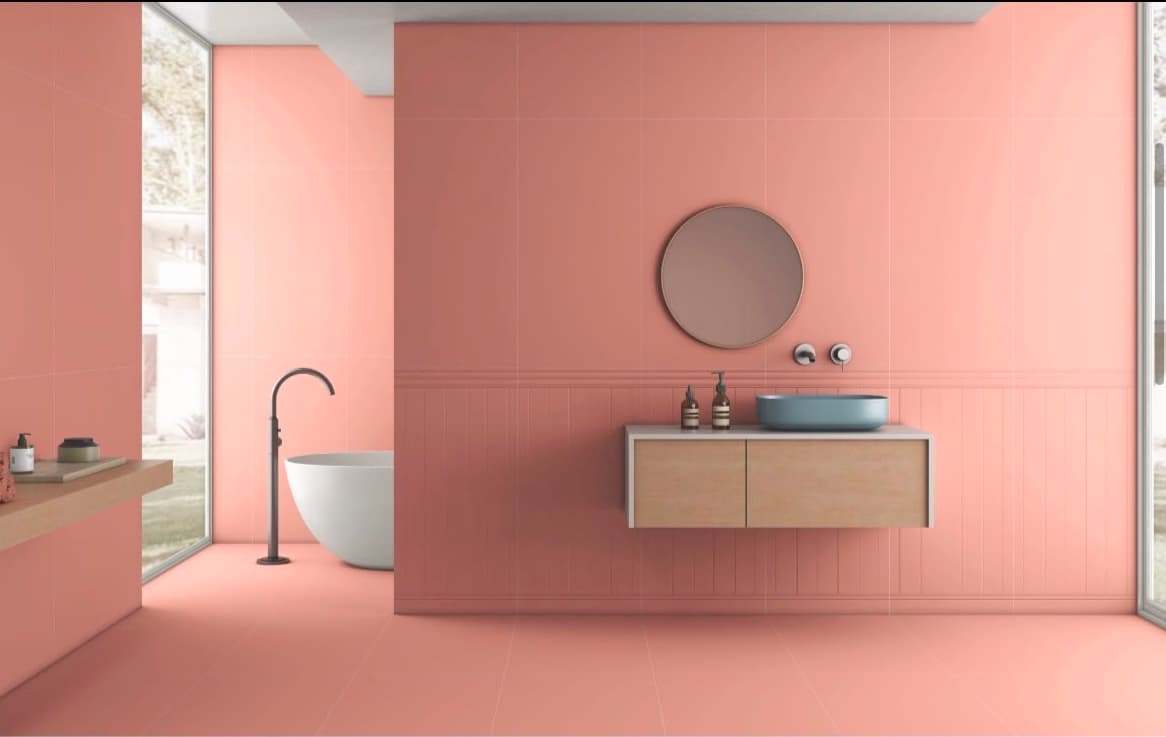
Bathroom, bedroom, living room, kitchen, office or reception lobby. Each photograph is mapped so the visualiser knows where the floor ends and the wall begins.
Choose a tile
Browse the catalogue, upload a tile image, or import your whole price list from Excel with design code, size, shade, rate and the rooms each tile suits.
Render the surface
Floor, walls, backsplash, countertop or island, with grout drawn in scale. Save it to your catalogue, download the image or share a link.
The rooms
Six rooms, 10 surfaces, one rule
Every room photograph is mapped surface by surface. Choose one below to see exactly what a render is allowed to change.
Only the surface you choose changes
Pick a room and a surface. The blue area is the mask handed to the model; every pixel outside it is pasted back from the photograph after the render.
Rooms
6
Photographed
Surfaces
10
Mapped and masked


Surface
Floor plus three wall faces, each mapped on its own so wall tiles stand upright on every plane.
The model may only repaint the floor, laid in perspective with grout joints in scale. Fixtures and walls are restored from the photograph.
Why it is accurate
Every render stays inside the photo
Image models are happy to redecorate. Swatchd gives the model a fence, checks its work, and refuses anything that climbed over.
A mask, not a description
The model is handed the exact region to retile. Pixels outside it are pasted back from the original photo, so fixtures, furniture and lighting never drift.
Framed, never stretched
The photo is padded to a supported aspect ratio and cropped back afterwards. Nothing is squashed to fit the model.
Alignment check
Each render is compared with the photograph block by block. A result that has shifted is re-aligned, or rendered again.
A second opinion
A separate model looks for anything added: a plant, a towel, a lamp. If something appears that was not in the photo, the render is refused and the credit refunded.
The toolkit
Everything a showroom needs on one screen
Four tools that share one catalogue, one set of rooms and one credit balance.
Getting your range in
Your whole catalogue, in every room, in one job
The price list you already keep is the only file Swatchd needs.
Export the price list
One sheet with design code, name, size, shade, rate and the rooms each tile suits. The importer reads the headers, whatever order they are in.
Review before anything is created
Swatchd shows which rows will be added and which will be skipped, with the reason, and which rooms and surfaces each tile will be rendered into.
Batch render the lot
Queue every tile into every suitable room and surface. Results land in the catalogue as they finish, and anything that failed can be retried in one click.
Already have the sheet?
Import it from the visualiser to add tiles only, or from batch processing to add them and render them in the same step.
Questions
Common showroom questions
Which rooms and surfaces are available?
Six rooms today: bathroom (floor and walls), bedroom (floor and walls), living room (floor), kitchen (backsplash, countertop and island), office (floor) and a reception lobby (floor). A new room is added by photographing it and mapping its surfaces.
Can we use our own tiles?
Yes. Upload a tile image one at a time, or import a whole price list from Excel with design code, name, size, shade, rate and the rooms each tile suits. Imported tiles appear under Your uploads in the catalogue and in the visualiser.
Does the AI change the rest of the room?
No. The render is confined to a mask of the chosen surface and checked afterwards for alignment and for added objects. A render that moves or invents anything is refused.
What does a render cost?
One credit per render, whether it runs live in the visualiser or in a batch job. A render that is refused by the checks, or fails, refunds its credit. Failed batch items can be retried in one click.
Who can see our renders?
Tiles, renders and batch jobs are scoped to your organisation. Sign in with your team and everyone works from the same catalogue.
What do we need in the showroom?
A browser. Swatchd runs on a laptop, a tablet or a phone, and a render can be shared as a link or downloaded as an image.
Bring your catalogue into every room.
Sign in, pick a room and render your first tile. No sample boards, no guesswork, nothing to install.
Swatchd is built and run by Bombay AI Labs.